File your unsorted saves with To organize
To organize lists every save without a category. Go through them one by one with Start organizing, or select several and file them together in a category.
On this page
To organize is the list of saves that don't have a category yet: things you filed Later, or saved in a hurry. Home shows how many are waiting on its first chip ("3 to organize").
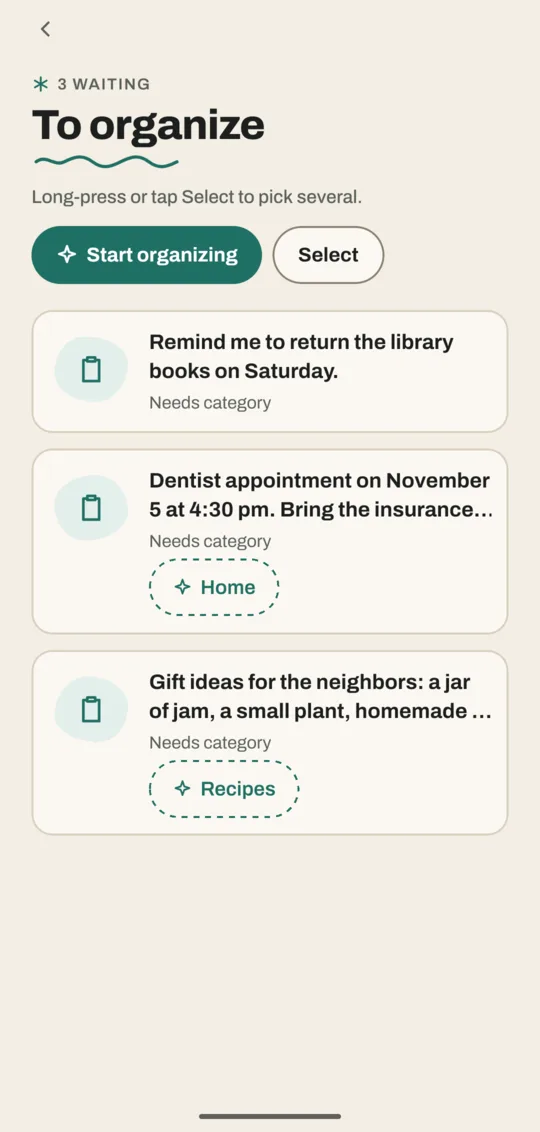
Open To organize
- Tap Home.
- Tap the first chip, such as 3 to organize. The list opens with 3 waiting at the top.
The widget's "to organize" count and the Daily reminder open it too.
File them one at a time
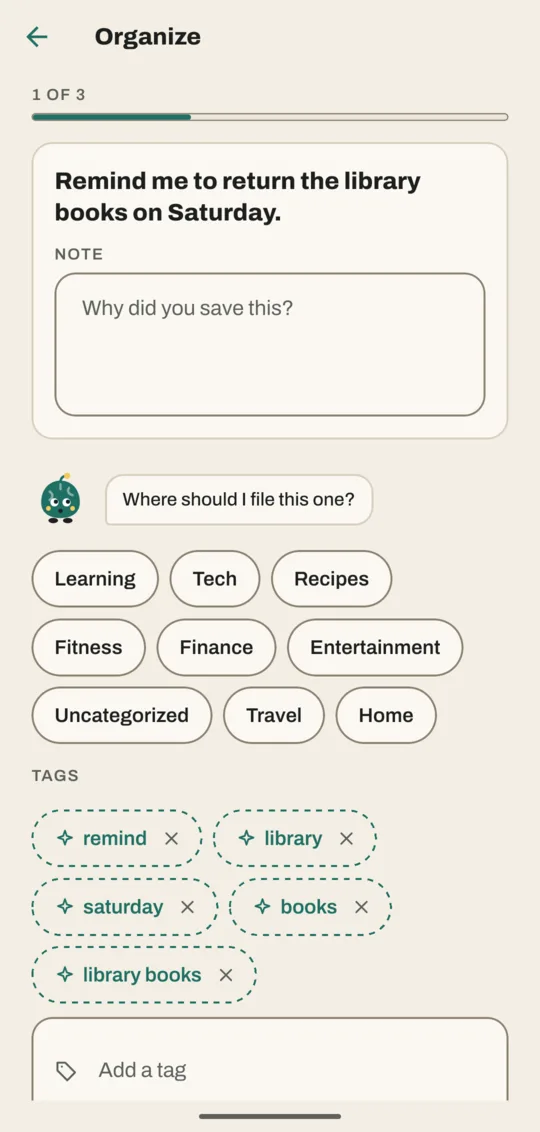
- Tap Start organizing. The first save opens, with 1 of 3 at the top.
- Read the save. Add a note in Why did you save this? (What is this? for your own photos) if you like.
- Tap a category. If Noodle has a suggestion, it says "I'd file this one in" and the category, and that chip has a sparkle.
- Tap the suggested tags you want to keep, or × to dismiss them. Type your own in Add a tag.
- Tap File and next. The next save opens. On the last one it says File and finish.
Tap Skip to leave a save for another time.
File several at once
- On the To organize list, tap Select, or touch and hold a save.
- Tap the saves to file together, or Select all.
- Tap Organize 2 (the number is how many you picked). The Organize 2 items sheet opens.
- Pick a category. Tags you add under Add tags go on all of them.
- Tap Apply. They all leave the list.
Tap Clear to stop selecting.
Accept a single suggestion from the list
Under some saves, the list shows Noodle's suggested category with a sparkle, such as Home. Tap it to file that save there without opening it.
Good to know
- When the list is empty, Noodle says All tidy!
- Want Noodle to file new saves by itself? Go to Settings → Organizing and set Categories to Apply automatically. It never changes a category you picked yourself.
- Filing from To organize works the same as the File it sheet on the Save page.
Related
Don't have Noodle yet?
Free for Android. No sign-up, and everything stays on your phone.