Ask Noodle questions about your saves
Ask a question in plain words and Noodle answers from what you saved, with sources you can tap. It runs on your phone after a one-time download of about 500 MB.
On this page
Ask Noodle answers questions from your own saves: "What should I pack for Lisbon?", "What did that bread video say about cold kitchens?" It runs entirely on your phone, so you'll need its one-time download first (about 500 MB).
Turn on Ask Noodle
- Go to Settings → Advanced → Local AI.
- Under Language model, the first choice is marked as the default. Tap Download model under it (about 500 MB). The second choice is bigger and mostly English; most people won't need it.
- Wait for the download to finish. Off Wi-Fi, Noodle asks Download on mobile data? first.
- Check that Use Local AI is on. It appears once the download is done.
Until then, the sparkle button on Home opens a screen saying Local AI isn't ready, with Open settings to take you there.
Ask a question
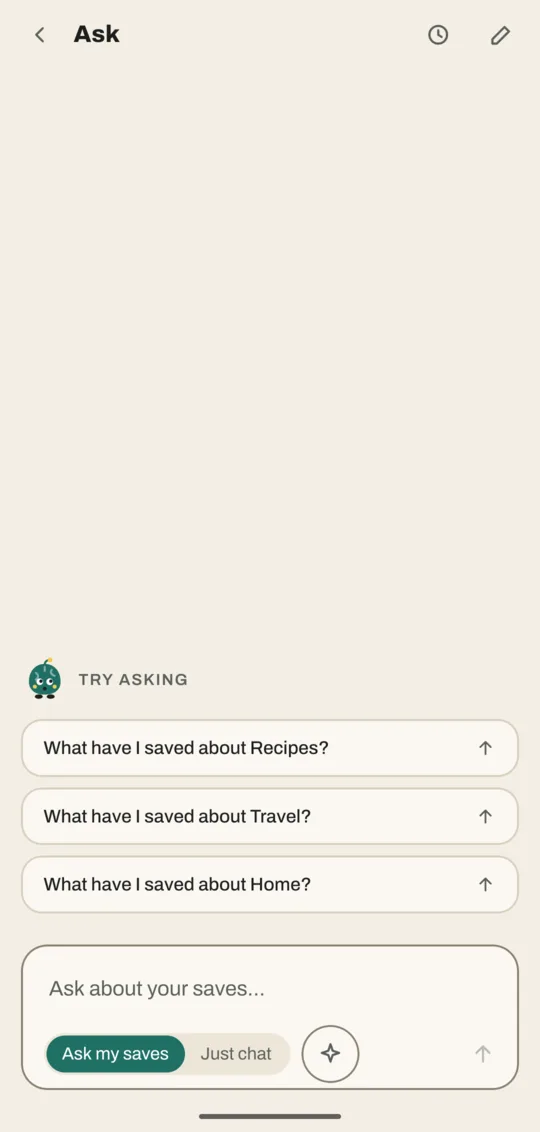
- On Home, tap the sparkle button in the bottom corner. Ask opens, with a few Try asking ideas built from your categories and tags.
- Type your question in Ask about your saves…, or tap one of the ideas.
- Tap the send arrow. Noodle shows Searching your saves…, then writes the answer.
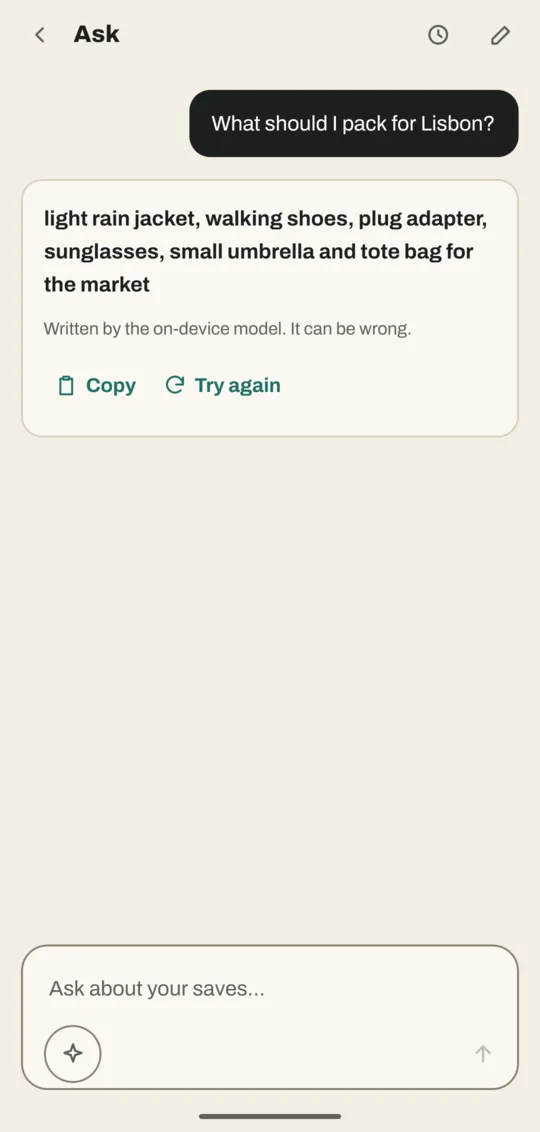
- When the answer uses your saves, it has numbers such as [1] in the text and Sources under it. Tap a number or a source to open that save. A source in a video opens it at the right moment.
If nothing you saved is close enough, Noodle says I couldn't find this in your saves. and lists the nearest saves instead of guessing. Tap Search by keyword instead or Just chat about it to try another way.
Buttons on the Ask screen
| Button | What it does |
|---|---|
| Ask my saves / Just chat | Answer from your saves, or chat without looking at them (shown before your first question) |
| Sparkle in the message box | Think harder: slower, and shows its reasoning (with the default choice only) |
| Copy | Copies the answer |
| Try again | Writes a new answer to the same question |
| Clock (Chats) | Your earlier conversations |
| Pencil (New chat) | Starts a fresh conversation |
| Stop | Stops an answer that's being written |
Ask about one save
Open a save and tap Ask about this. The chat only looks at that save, which is handy for a long video or a 30-page PDF.
From Search, Ask instead turns what you typed into a question.
Good to know
- Answers end with Written by the on-device model. It can be wrong. Check important things against the sources.
- How long an answer takes depends on your phone. Newer phones with more memory do best: Ask needs about 900 MB of free memory while it works.
- Chats stay on your phone and are included in your backup. Delete all chats is in Settings → Advanced → Local AI.
Related
Don't have Noodle yet?
Free for Android. No sign-up, and everything stays on your phone.